Video Sync
Automatically sync YouTube channels, playlists, and videos into WordPress — saved as searchable content in the post type and taxonomy you choose. Full metadata, recurring schedules, and conditional filtering keep your library current, entirely on autopilot.
Built for serious YouTube workflows
Everything you need to turn a channel into WordPress content you own.
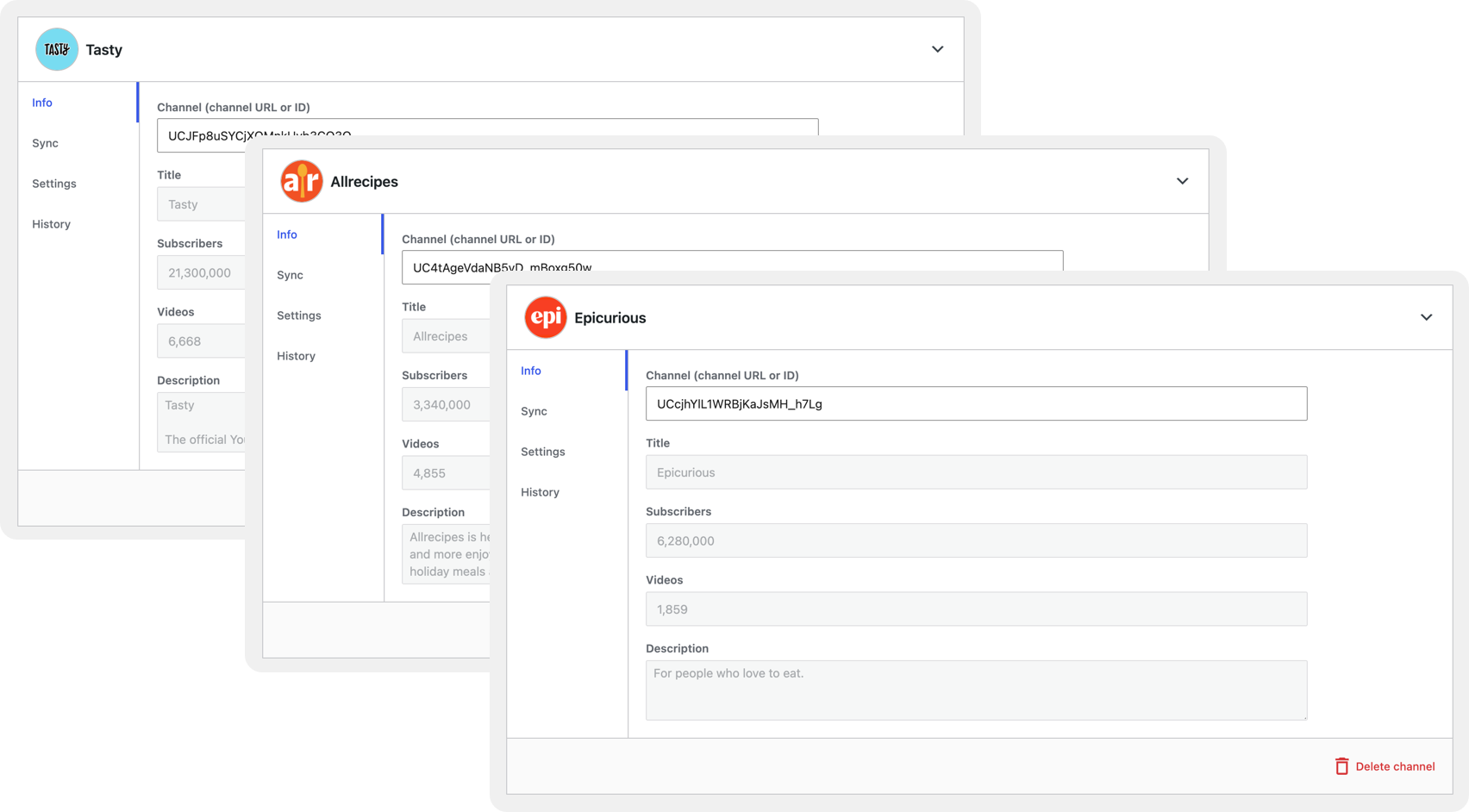
Sync Unlimited Channels
Connect every YouTube channel you manage from a single install — no per-channel add-on, no second license. Each runs its own sync rules, destination post types, and schedules independently, so clients and brands never collide. Add, pause, or reconfigure any channel while the others keep running untouched.
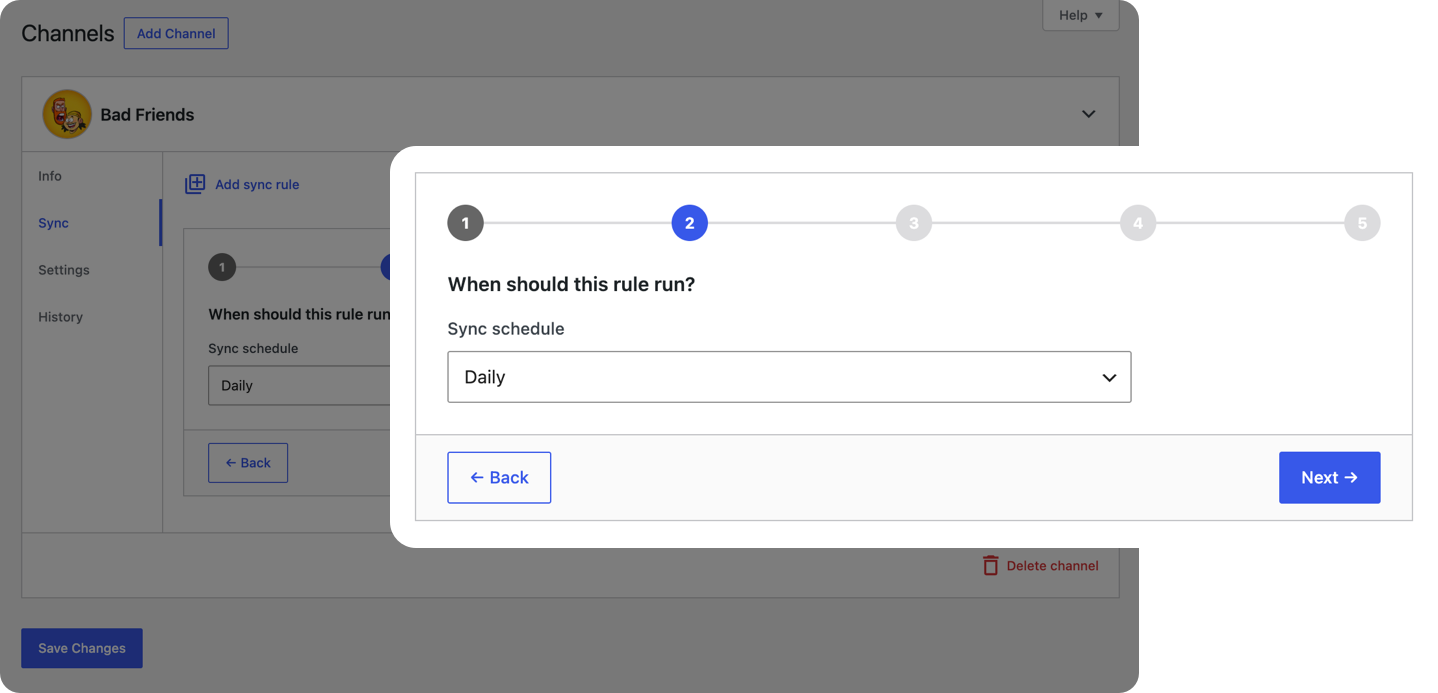
Recurring Sync Schedules
Turn any sync rule into a hands-off import on the schedule you set — hourly, daily, weekly, monthly, or a custom interval. WordPress runs it in the background through WP-Cron, pulling in new videos and metadata while you’re away. Mix recurring and run-once rules across channels freely.
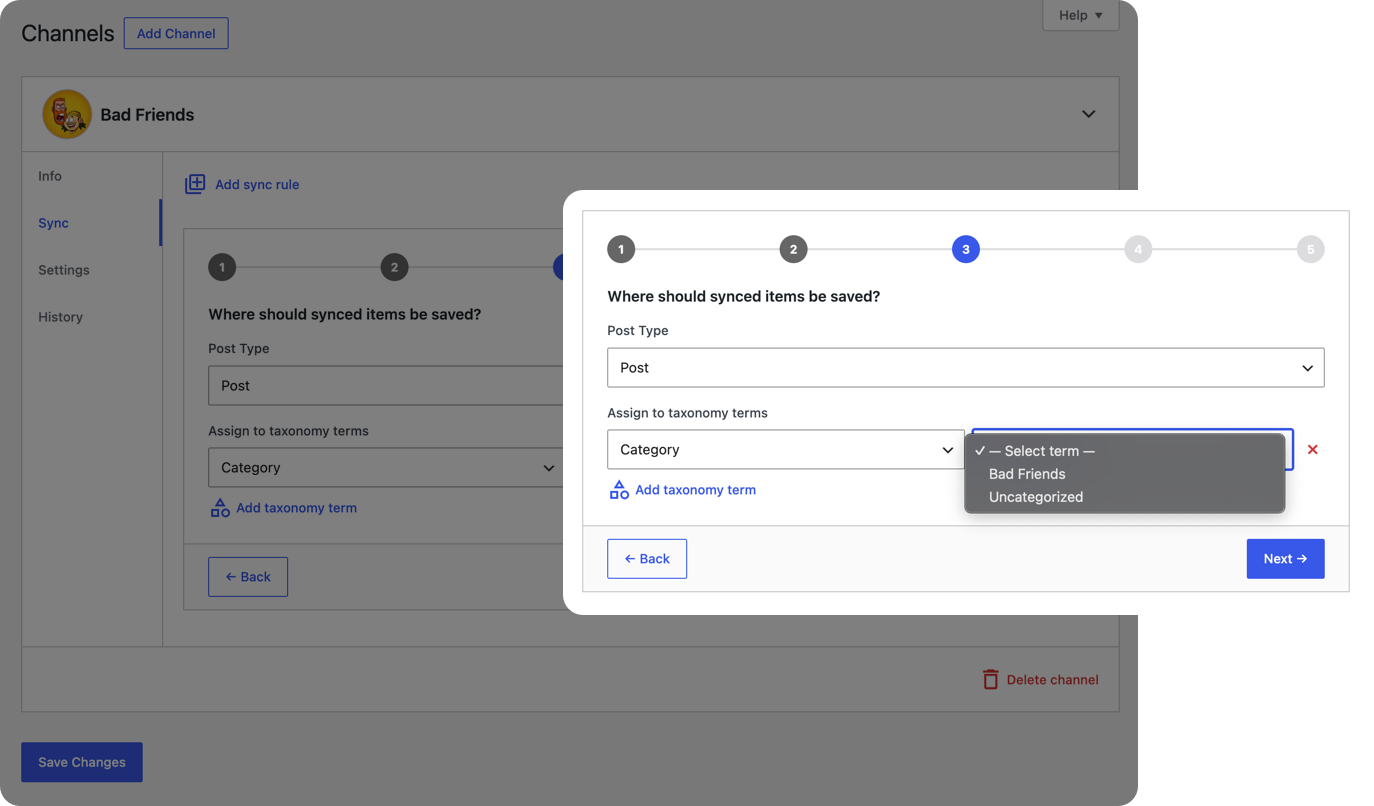
Assign Any Taxonomy Term Automatically
Assign categories, tags, or any custom taxonomy term right inside the sync rule. Every video, playlist, and channel that rule imports is filed into place automatically the moment it lands — no manual sorting. Change your terms later and one update action refreshes everything already imported.
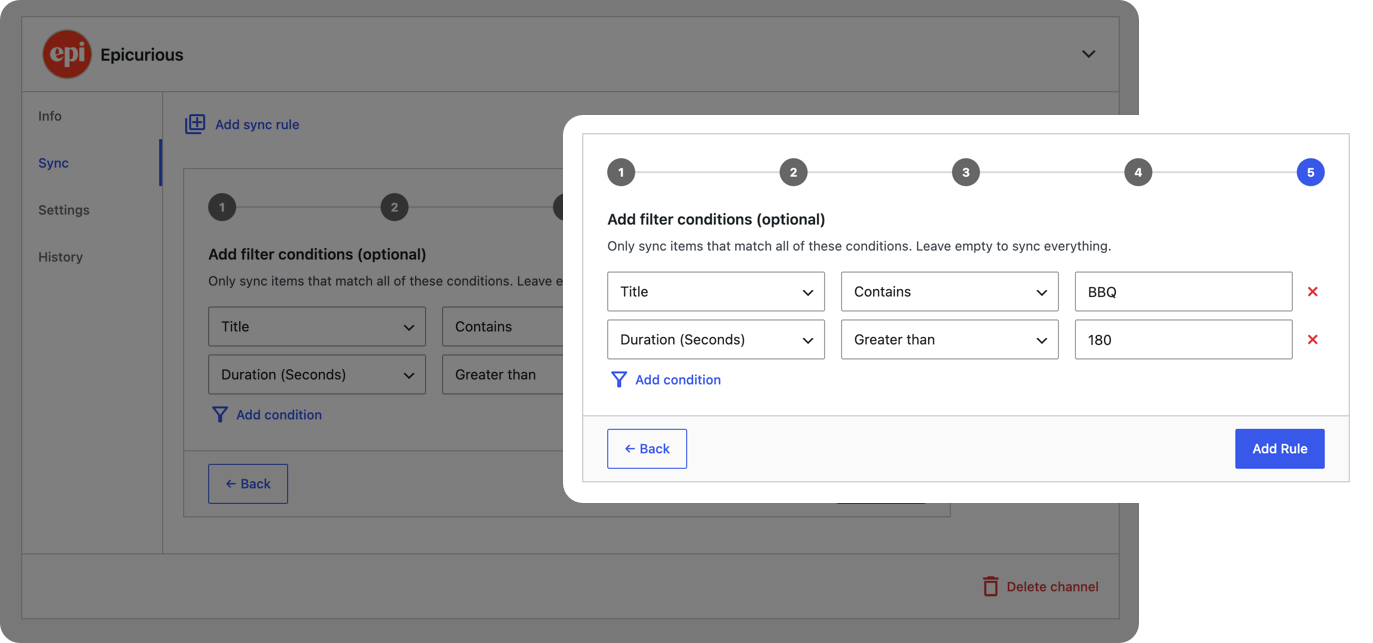
Import Only What You Want
Define the criteria an item must meet before a rule imports it. Each candidate is evaluated before a post is ever created, so only the videos you want come through – sparing your library clutter and your API key wasted quota. Pair conditions with schedules to keep automated imports selective.
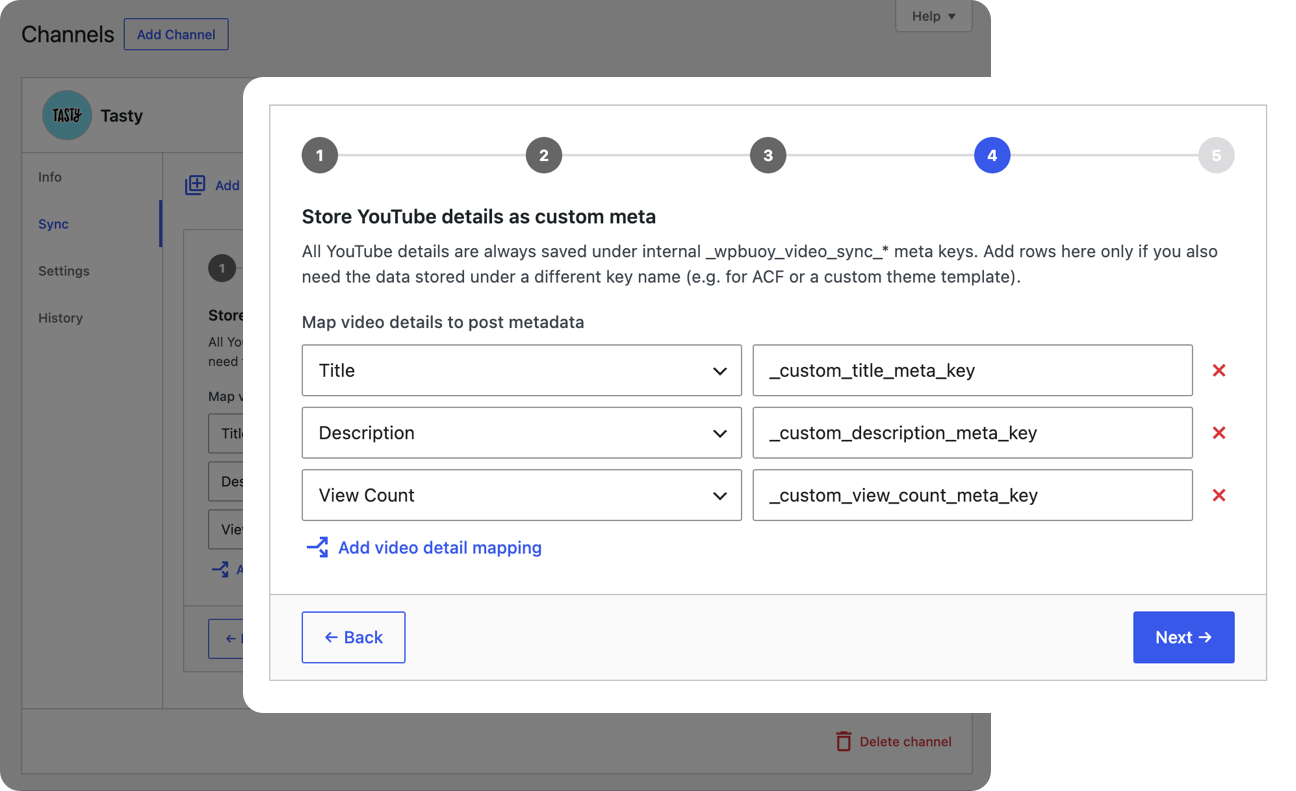
Map Any Field to Your Own Meta Keys
Map any YouTube field — including each individual thumbnail size — to the custom post meta keys your theme, blocks, or page builder already expect. Every synced item writes straight into your data model, and missing values are skipped so a blank never overwrites good data. Remap fields anytime without re-importing.
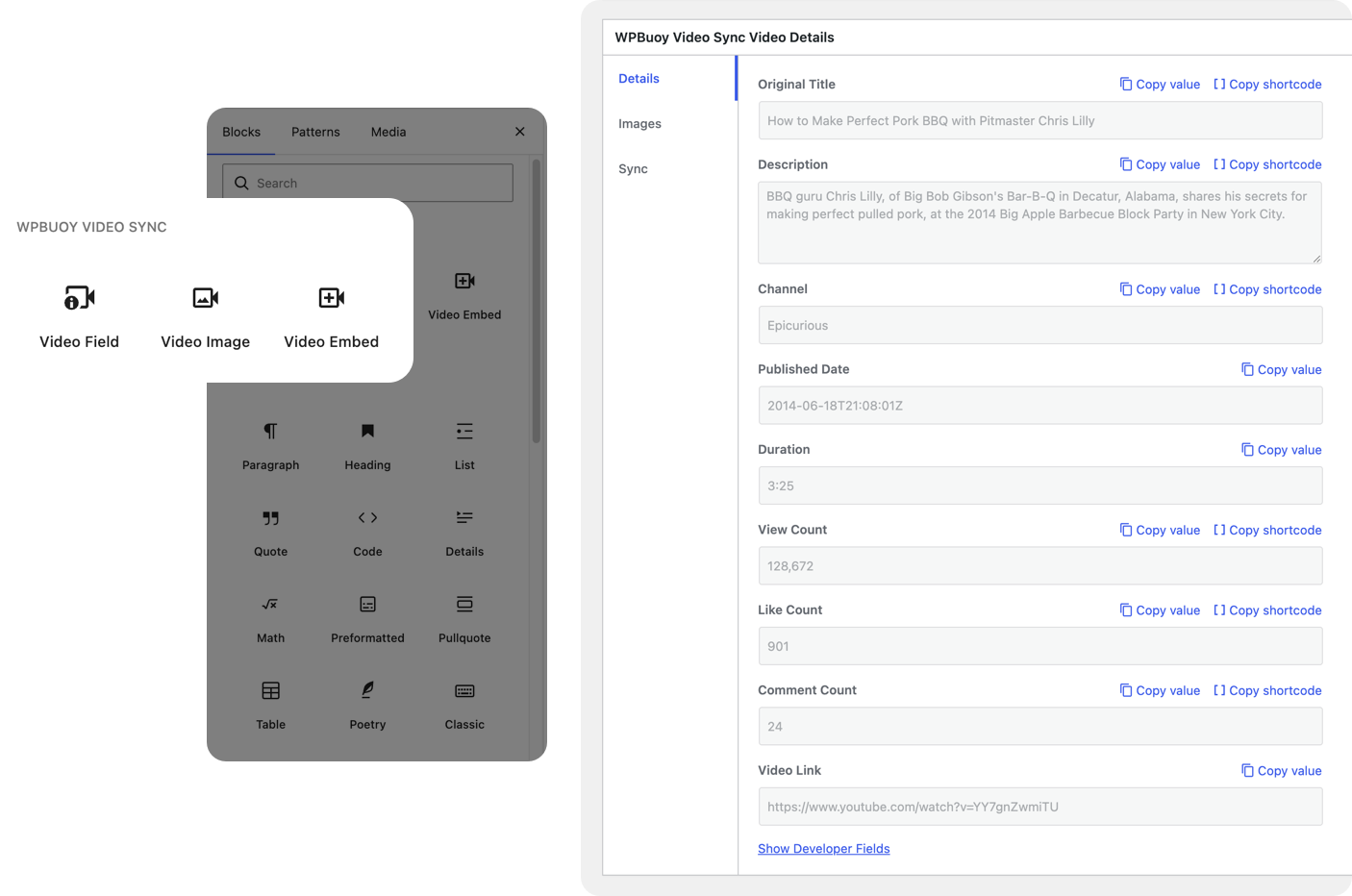
Dynamically Display Synced Data Anywhere
Place any synced YouTube value on the page with the Embed, Field, and Image blocks or a flexible shortcode. Each reads live from the synced post, so titles, view counts, and thumbnails stay current whenever the source updates. Copy a ready-to-paste snippet from any post’s metabox in one click.
And more under the hood
The finer controls that keep large libraries accurate and yours.
Pre-Sync Quota Estimate
See how many YouTube API units a sync will cost before you run it, so you never hit Google’s daily quota by surprise.
Update Existing Posts
Refresh every metadata field on existing video, playlist, and channel posts so they stay accurate.
Update Specific Fields
Choose exactly which fields a sync refreshes, without overwriting copy you have customized.
Video Protection
Flag a synced post as protected and sync rules will skip it, preserving your manual edits.
Sync Videos, Playlists & Channels
Import all three YouTube resource types as native WordPress posts, not just individual videos.
Sync History & Error Logs
Every channel keeps a per-rule log of what synced and why any run failed, so problems are easy to spot and fix.
Automatic De-duplication
Items are matched on their YouTube ID, so re-running a rule never creates duplicate posts.
Pricing
Choose the plan that fits your business.
Personal
1 website
$39/yr
Includes all PRO features + unlimited updates per year for 1 website.
Freelancer
10 websites
$79/yr
Includes all PRO features + unlimited updates per year for 10 websites.
Agency
Unlimited Websites
$149/yr
Includes all PRO features + unlimited updates per year for unlimited websites.
Knowledge Base
Browse our knowledge base for guides, feature walkthroughs, and answers to common questions.
Getting Started
Install Video Sync, add your API key, and run your first sync.
Connecting to YouTube
Set up your Google API key, secure it, and manage quota.
Features & Usage
How every Video Sync feature works, day to day.
Licensing & Billing
Plans, activation, multi-site use, renewals, and refunds.
Troubleshooting
Fixes for syncing, schedules, and license issues.