How to Rate Limit WordPress REST API Endpoints Per-Route
WordPress has no native mechanism for rate limiting REST API requests. A bot can hammer /wp/v2/comments, a scraper can paginate through /wp/v2/posts, or a credential-stuffing script can probe any endpoint repeatedly — all at full speed, with no server-side throttle unless you’ve configured one at the infrastructure level.
For developers without direct nginx or Apache access, or those managing many client sites, infrastructure-level rate limiting isn’t always practical. Endpoint Manager Pro 1.3 adds UI-configurable rate limiting at the route level, directly from the WordPress admin.
Why Rate Limit at the Endpoint Level?
A single global rate limit applied to the entire REST API is a blunt instrument. Your WooCommerce checkout flow, your mobile app, and your public-facing blog API all have legitimately different traffic patterns. A limit that prevents abuse on the comments endpoint is too tight for a high-traffic product catalog.
Per-endpoint rate limits let you apply restrictions where they’re needed without affecting endpoints that carry legitimate high-volume traffic. You get surgical control over which routes get throttled and how hard.
How It Works in Endpoint Manager Pro
Default Global Limit
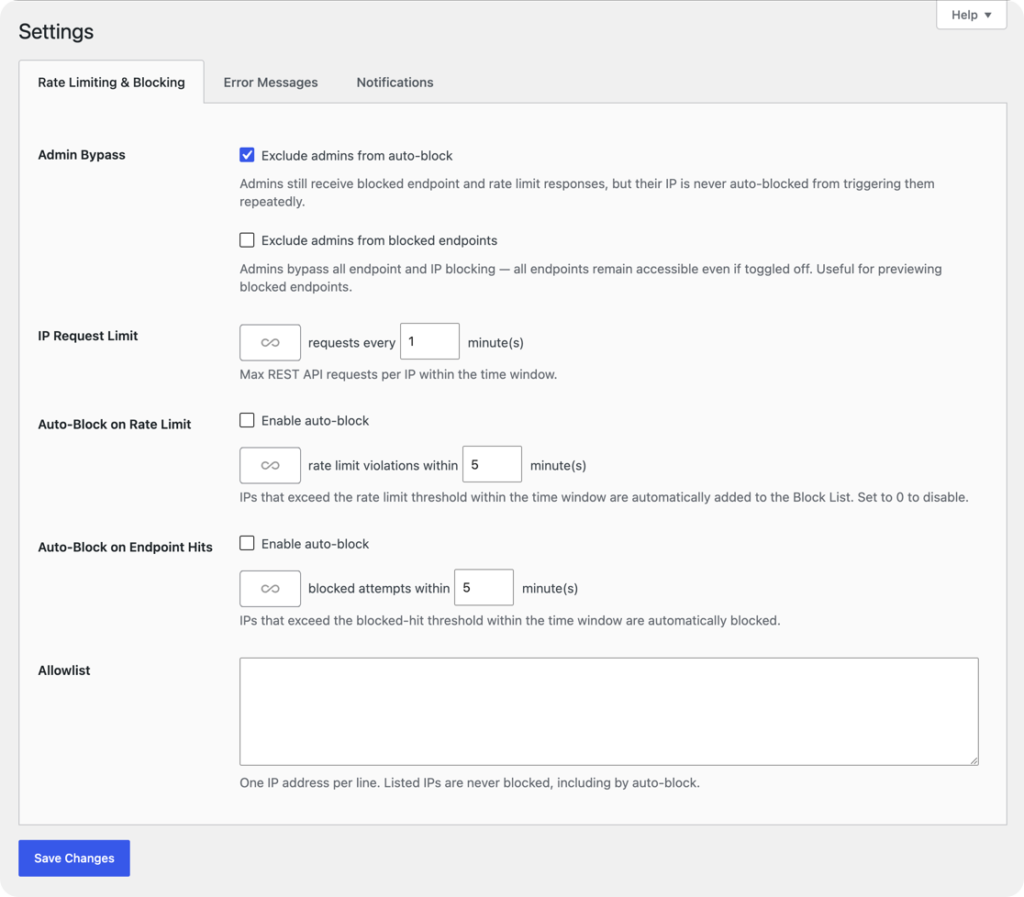
The global IP request limit applies a baseline of 60 requests per minute to every REST API route.
Start with a default global limit — for example, 60 requests per minute per IP across all REST API endpoints. This baseline applies to every route that doesn’t have an explicit override.
Most legitimate API consumers stay well under this threshold. Bots, scrapers, and automated attack tools don’t.
Per-Endpoint Overrides
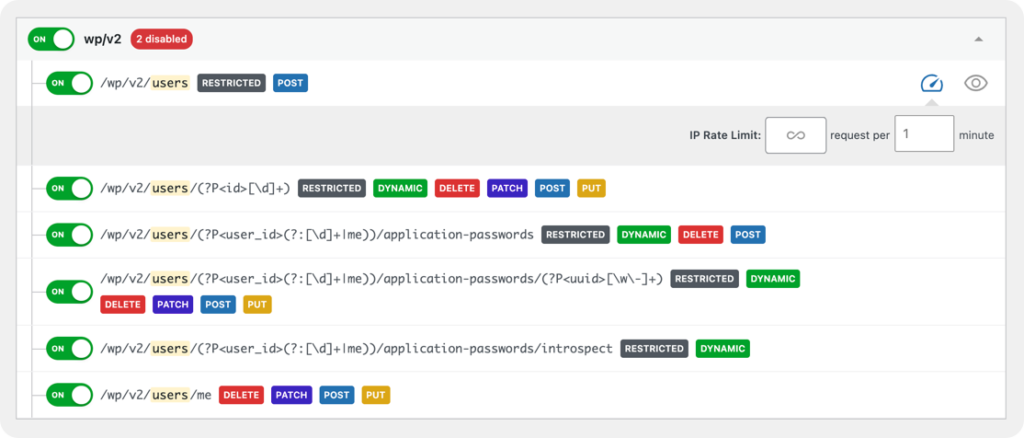
Override the global limit on any route — here /wp/v2/comments gets its own stricter threshold.
Set a tighter limit on any specific route directly from the endpoint management screen. Examples:
- /wp/v2/comments — Comment spam bots frequently hit this endpoint. A limit of 5–10 requests per minute per IP stops automated submission without affecting real commenters.
- /wp/v2/users — If you haven’t blocked this entirely, even a tight rate limit significantly reduces the value of enumeration attempts.
- Any plugin endpoint handling form submissions or searches — Set limits appropriate to expected human interaction rates.
Per-endpoint limits override the global default for that specific route. Other routes continue using the global limit.
Standard Rate Limit Headers
When a request succeeds but the limit is approaching, the response includes standard rate limit headers:
X-RateLimit-Limit— The limit in effect for this endpointX-RateLimit-Remaining— Requests remaining in the current windowX-RateLimit-Reset— Unix timestamp when the window resets
Well-behaved API clients can read these headers and self-throttle. This matters if your own integrations share an IP with general traffic — they’ll back off before hitting the limit rather than receiving errors.
429 Too Many Requests
When a client exceeds the limit, the endpoint returns 429 Too Many Requests with a configurable message. The response includes the same rate limit headers so clients know exactly when to retry. Legitimate burst traffic gets a clear signal; abuse attempts get blocked.
What Rate Limiting Doesn’t Replace
Endpoint-level rate limiting is a WordPress-layer control. It runs inside PHP, which means the request has already reached your server. For very high-volume attacks (thousands of requests per second), server-level or CDN-level throttling should be the first line of defense, with endpoint-level limits as a second layer for granular control.
The two approaches complement each other: infrastructure protects against volumetric attacks, endpoint-level limits give you fine-grained policy control that infrastructure tools can’t express at the route level.
Pairing Rate Limits with IP Blocklisting
Rate limiting throttles bad actors. IP blocklisting stops them entirely. In Endpoint Manager Pro, the security log records every rate-limited and blocked-endpoint hit. When you see a single IP consistently hitting its rate limit on multiple endpoints, that’s a signal to block the IP outright — either manually from the logs screen or automatically via the auto-block threshold.
The combination gives you a graduated response: throttle first, block when throttling isn’t enough.
Get Started
Per-endpoint rate limiting is available in Endpoint Manager Pro 1.3. Existing Pro license holders receive the update automatically. New to Endpoint Manager? The free version covers endpoint visibility and blocking — start there and upgrade to Pro when you need rate limiting, IP blocklisting, and security logging.