Endpoint Manager 1.3 — Rate Limiting, IP Blocklisting, and Custom Error Responses
Endpoint Manager 1.3 ships the first phase of security hardening features for the Pro tier. This release adds four capabilities that move the plugin from endpoint visibility and blocking into active threat response: per-endpoint rate limiting, IP blocklisting with auto-block, custom error responses, and improved log filtering.
Rate Limiting — Per-Endpoint
WordPress has no built-in mechanism for rate limiting REST API requests. Until now, the only options were server-level rules (nginx, Apache, hosting-side firewalls) or broad plugin-based solutions that apply a single limit to the entire site.
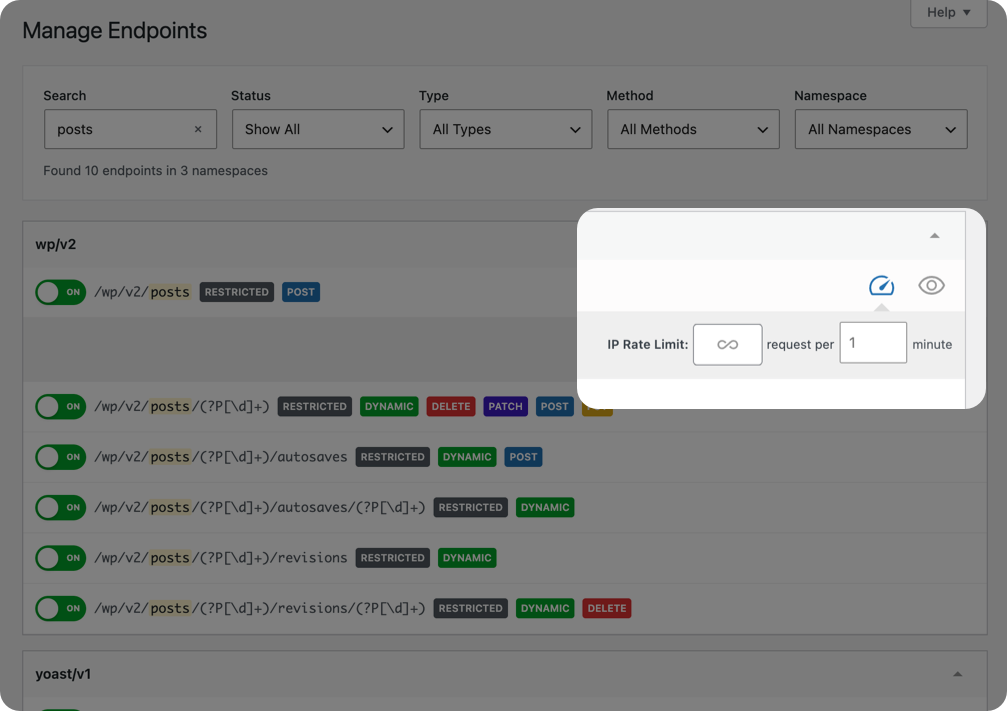
Endpoint Manager 1.3 introduces UI-configurable rate limits at the route level. Set a default global limit for all endpoints, then override it per-route from the endpoint management screen — tighter limits on high-risk endpoints like /wp/v2/comments, looser limits on endpoints your integrations depend on.
Blocked requests return 429 Too Many Requests with standard rate limit headers (X-RateLimit-Limit, X-RateLimit-Remaining, X-RateLimit-Reset), so API clients get machine-readable feedback instead of a silent drop.
IP Blocklist / Auto-Block
When security logs show an IP repeatedly probing blocked endpoints, you can now act on it directly from the logs screen. A single click blocks the IP sitewide. No need to edit server config, add firewall rules, or leave the WordPress admin.
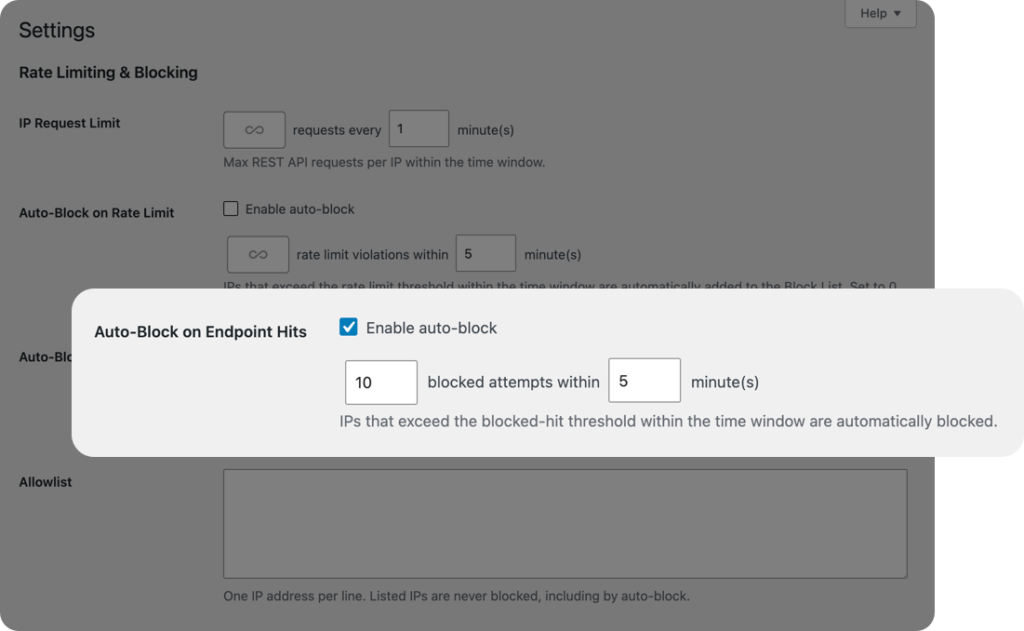
For hands-off protection, the auto-block threshold automatically blocks any IP that exceeds N blocked-endpoint hits within a configurable time window. Blocks can be temporary (configurable duration) or permanent. An IP allowlist ensures trusted sources — your own office IP, monitoring services — are never caught by auto-block rules.
Blocked IPs are surfaced in the security log alongside the endpoints they attempted to access, so you have a complete picture of what was blocked and why.
Custom Error Responses
Blocked endpoints have always returned 403 Forbidden. That’s correct behavior, but it also confirms to an attacker that the endpoint exists and is actively protected.
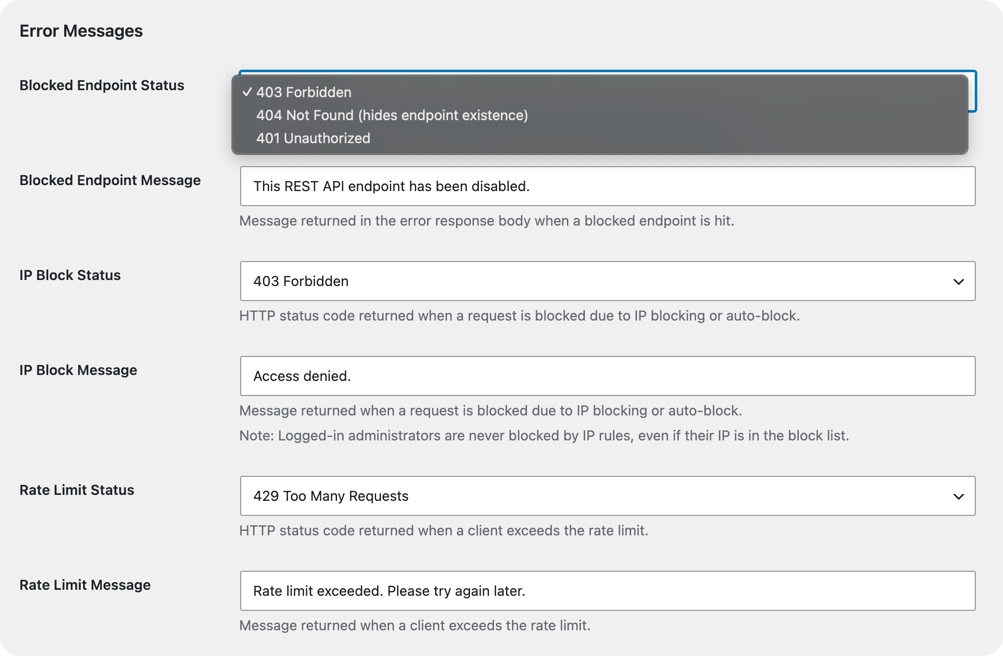
You can now configure the HTTP status code returned for blocked endpoints sitewide. The most common alternative is 404 Not Found — it tells the requester the route doesn’t exist, giving no indication that a rule is in place. Status code 401 is also available for endpoints that should appear to require authentication.
Custom error message text is configurable alongside the status code, accessible from the main endpoint management screen.
Logs: IP Filter UX
The security log always supported IP-based filtering, but the active-filter state wasn’t visible — no indicator that a filter was applied, and no clear way to reset it without manually editing the URL.
Clicking any IP address in the logs table now activates a visible filter badge showing the active filter and a one-click reset button. The same pattern extends to the endpoint column — click any route in the log to filter entries to that route only.