
Advanced Taxonomy Manager
Organize your content like a pro. Create, manage, and structure custom taxonomies without touching code. Includes advanced filtering and bulk operations to keep your content organized.
Features
Everything you need to manage Taxonomies effectively.
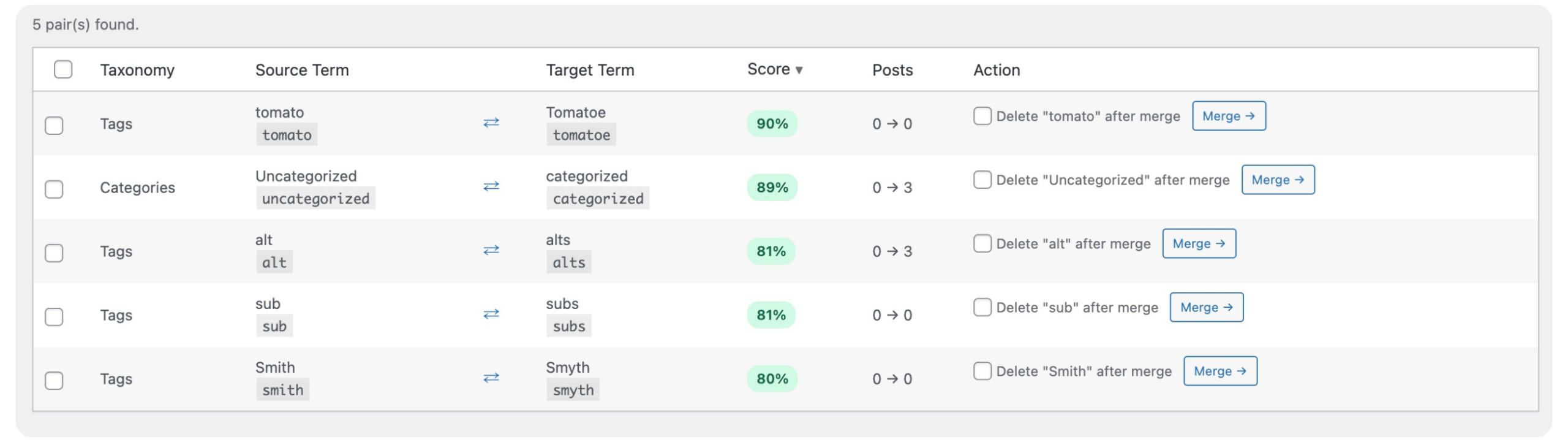
Duplicate Finder
Scans all your tags, categories, and custom taxonomies simultaneously, scoring each pair by similarity so you know exactly where to start.
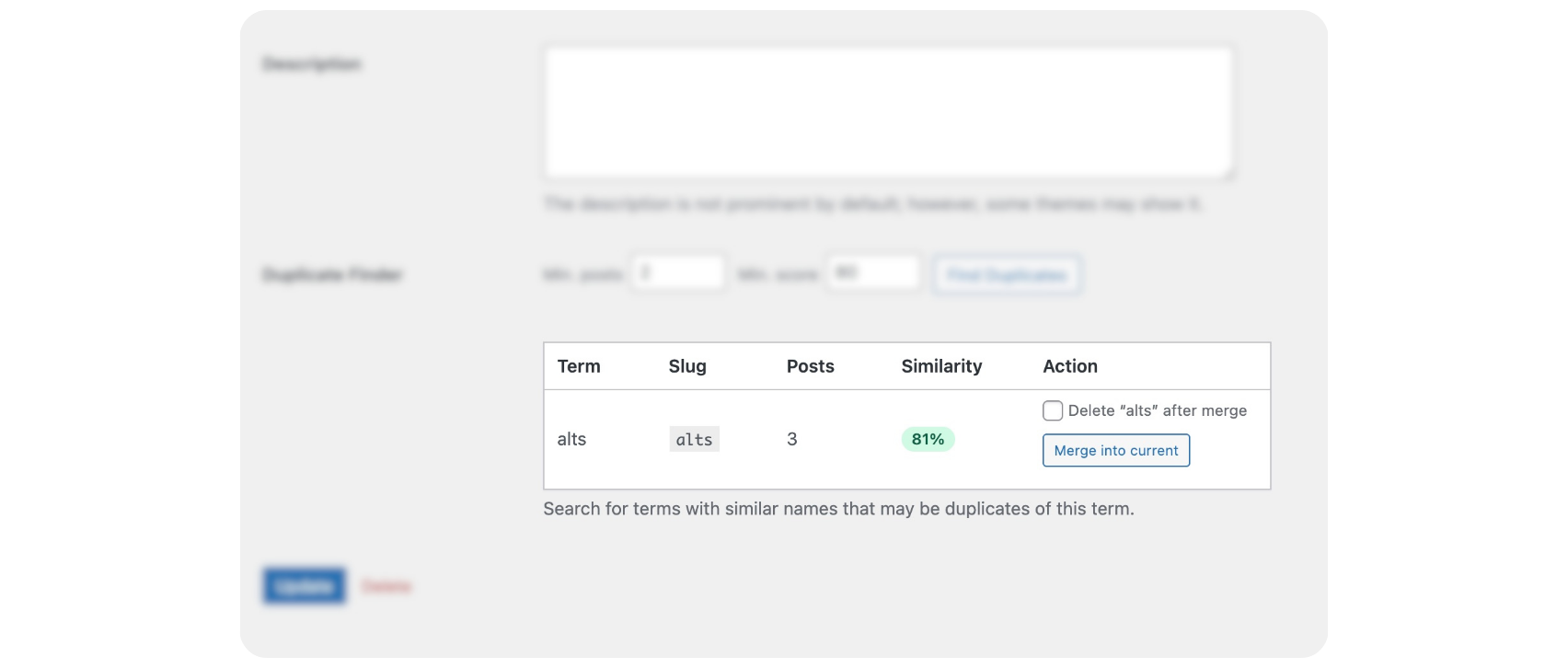
Term Merging
Move all posts from a source term into a target term with one action. Choose whether to delete the source term or keep it. Every post relationship is preserved.
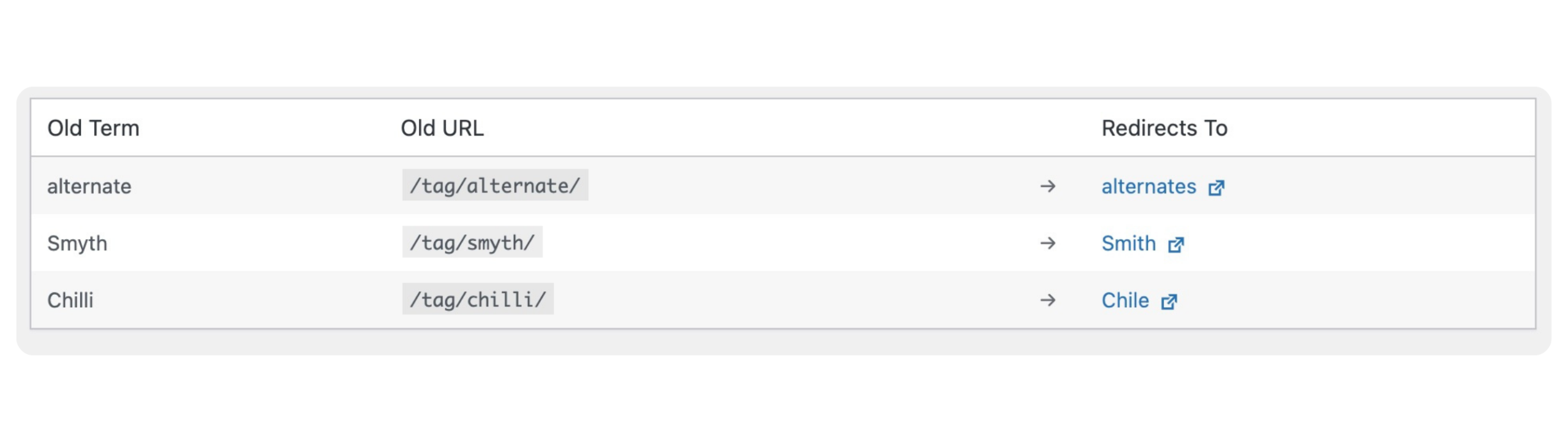
Automatic 301 Redirects
When a term is merged and deleted, its archive URL automatically redirects to the target term. Visitors and search engines land on the right page without any manual configuration.
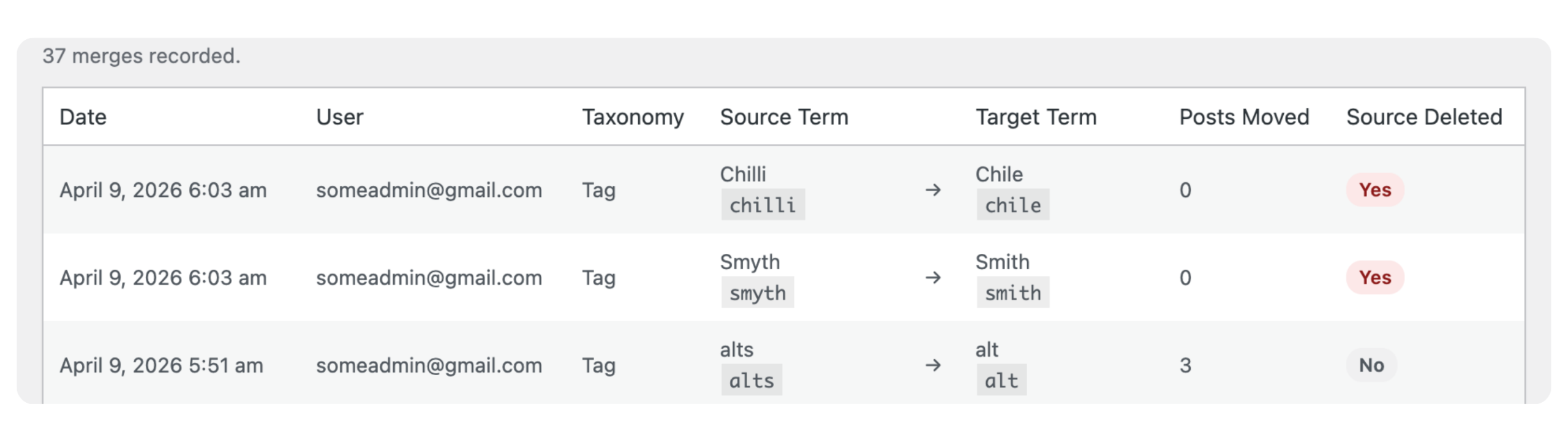
Merge History
A complete timestamped record of every merge performed. Know what changed, when it changed, and how many posts were affected.
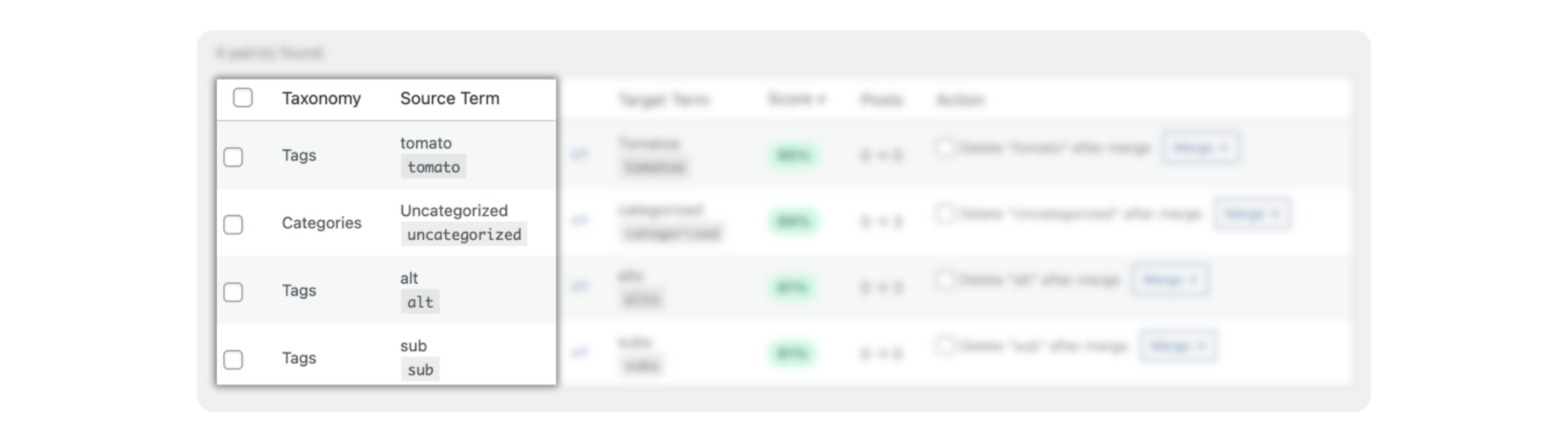
Multi-Taxonomy Support
Scan, merge, ignore, and import/export across every registered taxonomy — tags, categories, WooCommerce, and custom — from one unified interface.
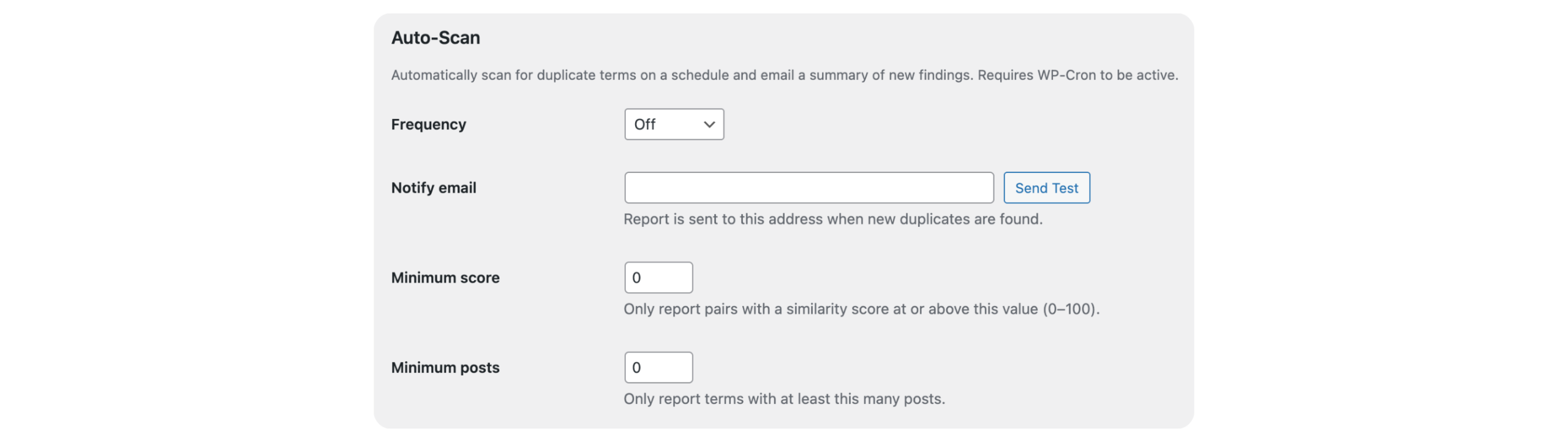
Auto-Scan & Email Notifications
Schedule automatic duplicate scans — weekly, biweekly, monthly, or quarterly. Get an email summary of newly found duplicates since the last run.
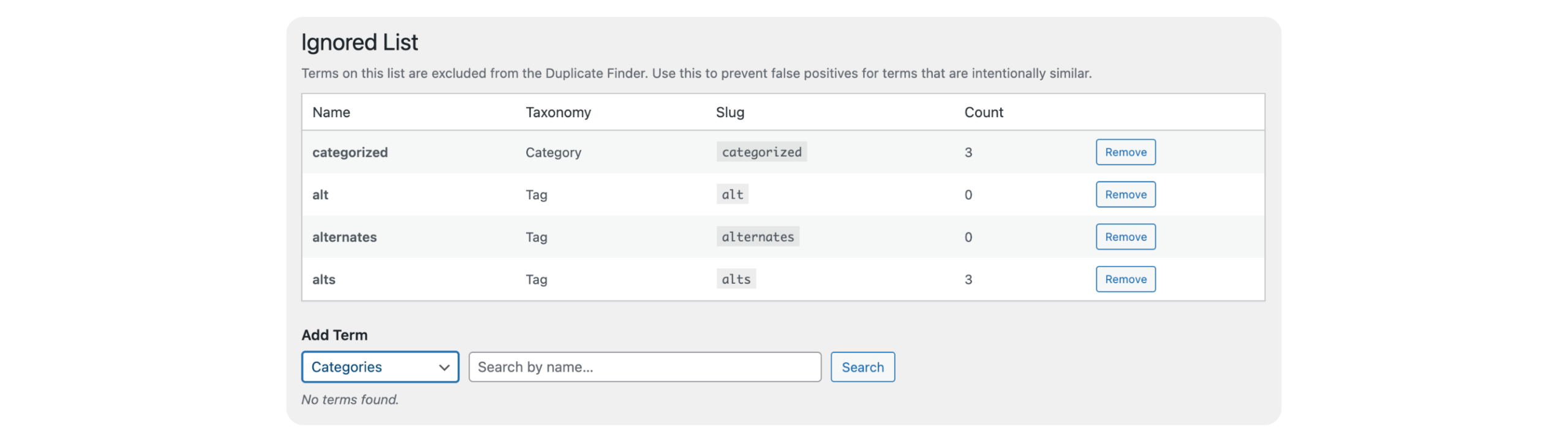
Ignored List
Mark pairs as intentional so they never surface again. Build a permanent list of terms that are similar by design and keep your scan results clean.
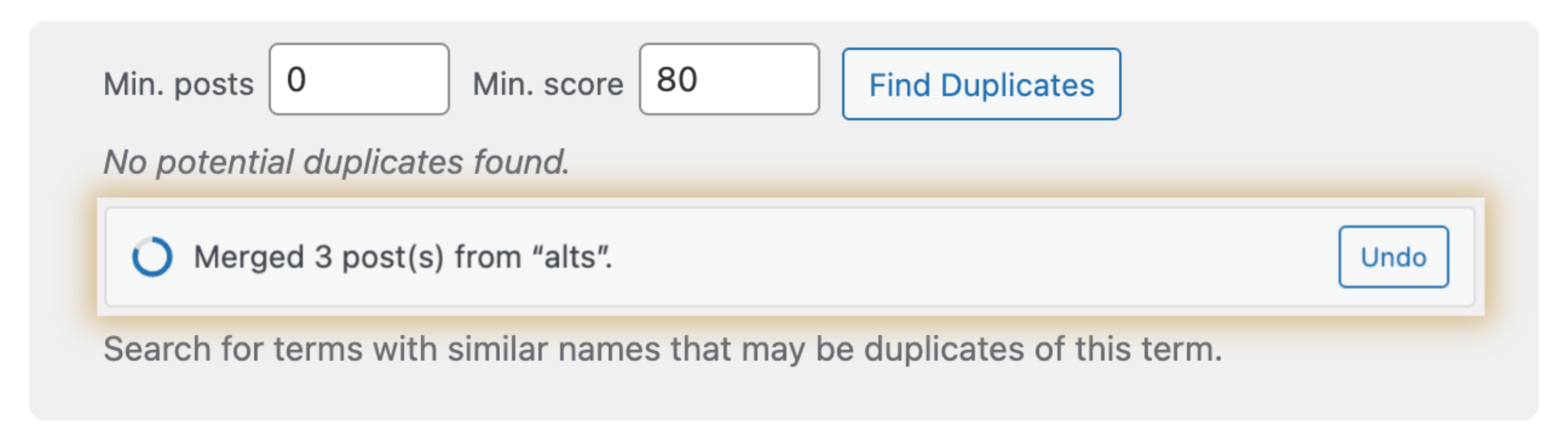
Undo Last Merge
Made a mistake? Undo your most recent merge within 30 seconds. Posts are reassigned, the source term is restored, and its redirect is removed — as if the merge never happened.
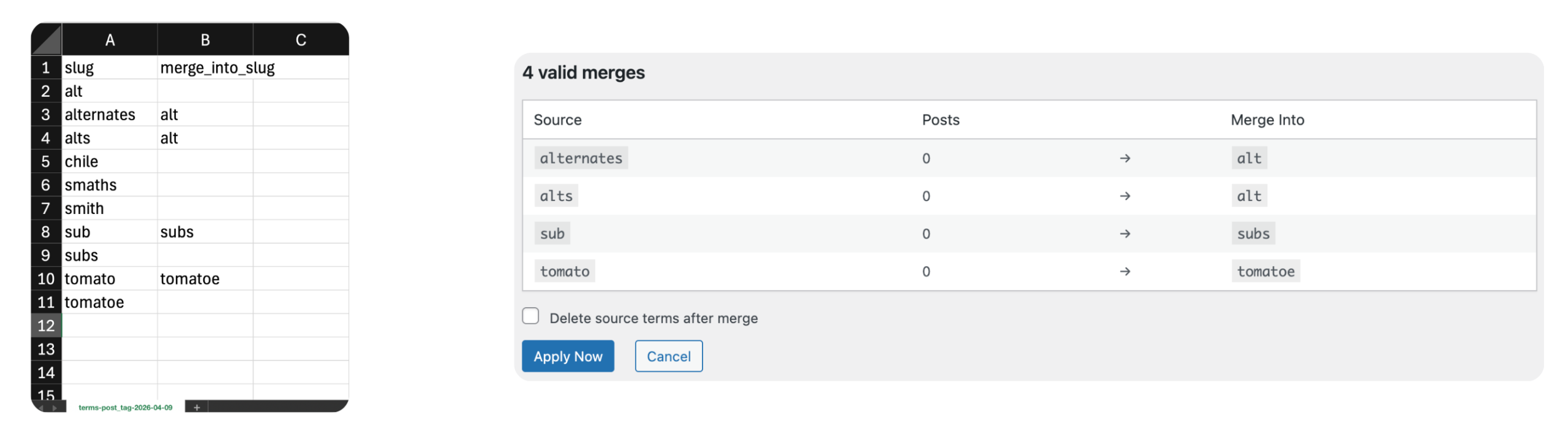
Merge Import/Export
Bulk-merge hundreds of terms at once using a CSV. Export your taxonomy, fill in merge targets in any spreadsheet app, then import and confirm in a preview screen.
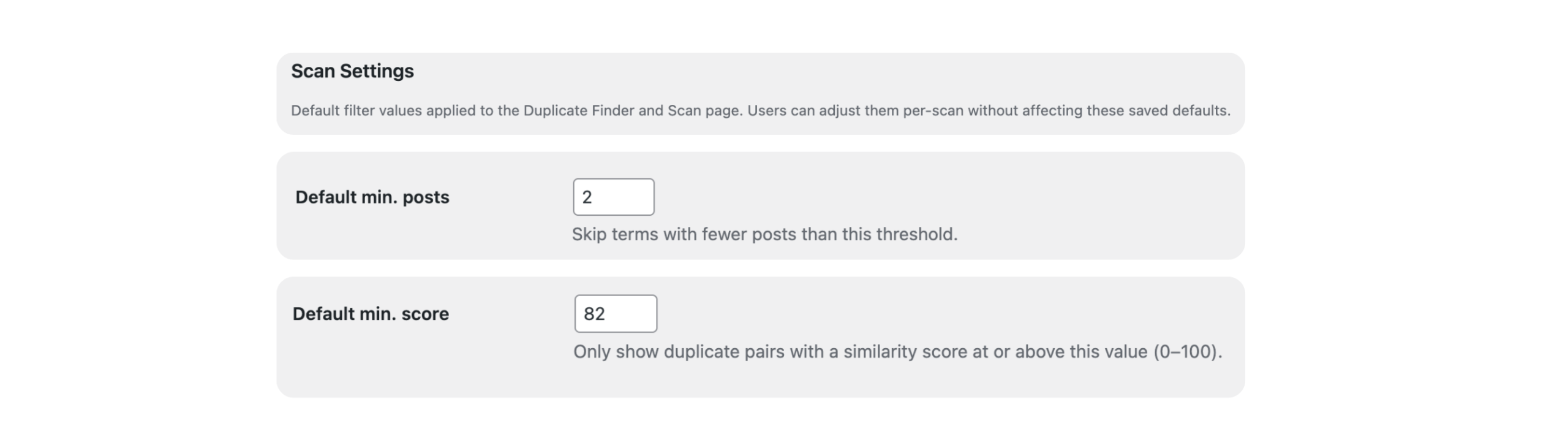
Min. Posts Filter
Set a minimum post count threshold so only meaningful, high-traffic terms are surfaced in scans and reports — keeping your workspace focused and actionable.
Other Features
Similarity Scoring
Every duplicate pair is scored 0–100 based on name similarity. Sort by score to tackle the most likely duplicates first and skip the guesswork.
Swap Source and Target
Not happy with the merge direction? Swap source and target terms in the scan table with one click before confirming.
Email Notifications
Auto-Scan emails a plain-text report of newly discovered duplicate pairs directly to your chosen address. Send a test email from the settings page to confirm delivery before your first scheduled run.
Centralised Settings
One settings page for scan defaults, auto-scan schedule, notification email, and score/post thresholds. Everything in one place, saved across sessions.
Pricing
Choose the plan that fits your business.
Single
1 website
$49/yr
Includes all PRO features + unlimited updates per year for 1 website.
Agency
Unlimited Websites
$99/yr
Includes all PRO features + unlimited updates per year for unlimited websites.
FAQ
Got questions? We've got you covered.
Will merging terms delete my posts?
No. Merging moves the term association from one term to another — your posts are never deleted or modified, only their taxonomy assignments are updated.
What happens to the old term's archive URL after a merge?
A permanent 301 redirect is automatically created from the source term’s archive URL to the target term’s archive URL. Visitors and search engines are forwarded seamlessly. You can review all active redirects under Taxonomy → Active Redirects (Pro).
Does it work with custom post types and custom taxonomies?
Yes. Advanced Taxonomy Manager works with any taxonomy registered with show_ui = true, including those added by themes, plugins, or your own code.
Can I undo a merge if I made a mistake?
With an active Pro license, yes — you have a 30-second window after each merge to undo it completely. Posts are reassigned to the original term, the term is restored if it was deleted, and its redirect is removed.
Does the Auto-Scan run even when no one is logged in?
Yes. Auto-Scan uses WP-Cron, which runs in the background on normal WordPress page loads. No manual triggering is needed.
Can I merge terms in bulk without going one by one?
Yes, with the Merge Import/Export Pro feature. Export your taxonomy as a CSV, add merge targets in any spreadsheet app, then import and confirm the batch in a preview screen before anything is applied.
Is the Ignored List permanent?
Yes. Terms added to the Ignored List are stored as a site option and excluded from all future scans and auto-scan reports until you explicitly remove them.
What taxonomies does the plugin scan?
All taxonomies with show_ui = true — this includes WordPress built-ins (tags, categories) and any custom taxonomy exposed in the admin interface.
Does it work with WooCommerce?
Yes. Product categories, product tags, and any other WooCommerce taxonomy are fully supported.
Is there a limit to how many duplicate pairs can be returned?
The scan page caps results at 300 pairs to keep the browser responsive. Use the Min. Posts Filter (Pro) to narrow results and surface the most impactful duplicates first.